Introduction
Having a well-designed website is more important than ever for small businesses. A good website can be a powerful tool, helping you reach more customers and showcase what you offer. It’s not just about looking nice; a well-crafted website can enhance your visibility, build credibility, and improve customer engagement.
Here’s the thing. I’ve been designing websites for over 20 years, and I’ve seen firsthand how a strategic website can completely transform a small business. I started my career in the nonprofit world, wearing about a dozen different hats (fundraising, operations, marketing, you name it), and I learned early on that your website is the one asset that both builds your brand AND makes you money at the same time.
When I had my kids and decided to go all-in on my business here in Reading, Massachusetts, I made it my mission to help small business owners create websites that work around the clock. Because honestly, you shouldn’t have to work more to earn more in your business.
Why Small Businesses Need a Website
Let’s start with the basics. Why does your small business need a website? First, think about accessibility. A website allows your business to be open 24/7. Customers can find you online anytime, whether it’s day or night. This means you can reach people beyond your local area, attracting customers from all over.
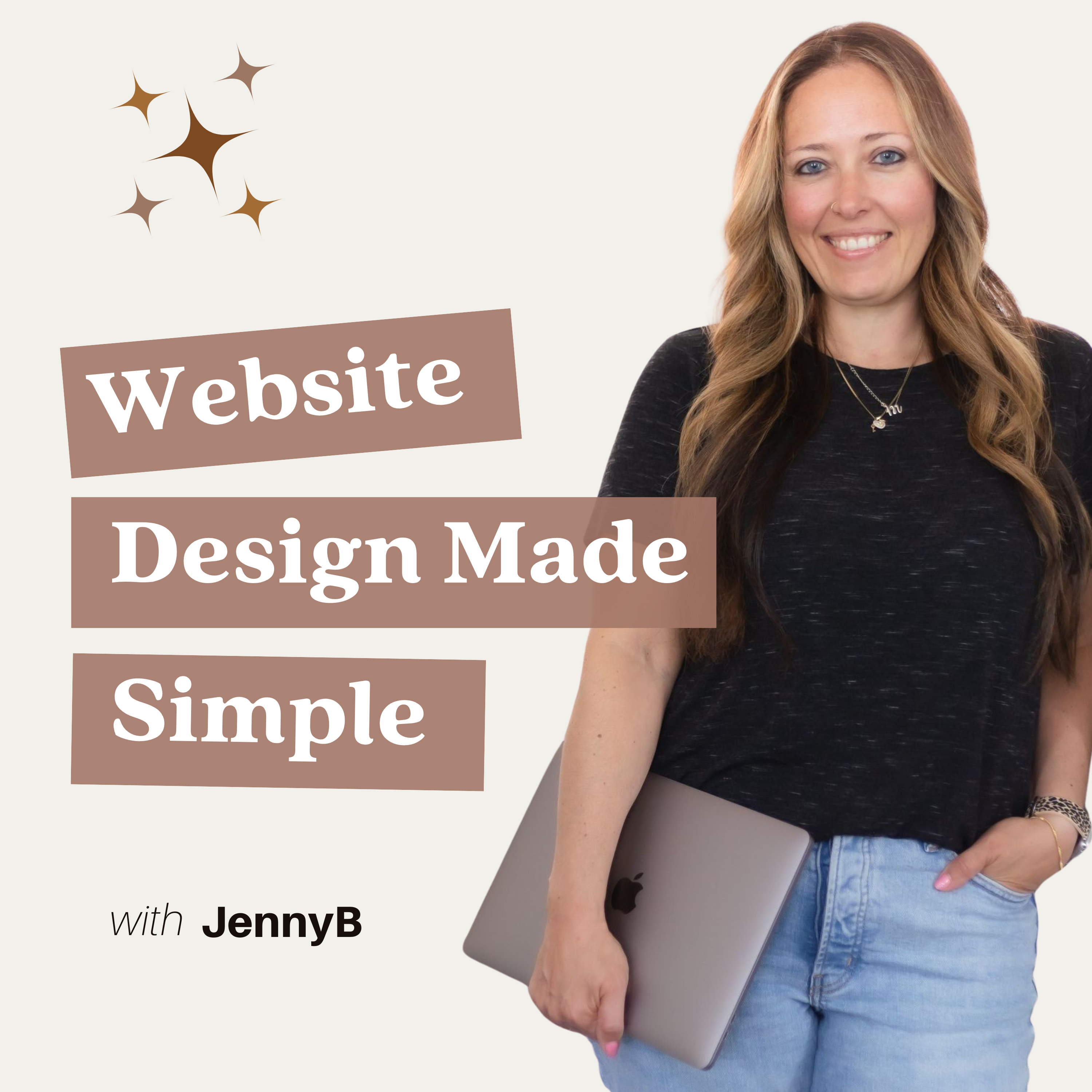
I talk about this all the time on my podcast, Website Design Made Simple. Your website is like an employee that never sleeps, never takes vacation, and works for you even when you’re at your kid’s soccer game or enjoying a challenging Pilates class (which, yes, I do love).
Next, a website adds to your professional credibility. In a world where many people search for services online, having a website makes your business look legitimate. It shows that you care about your customers and are serious about what you do. Plus, if you have an e-commerce feature, it opens the door to increased sales. Customers can browse and buy your products from the comfort of their homes.
One of my clients, Kate, shared something that really stuck with me. Within just two weeks of her website launch, she signed a new client at her higher rates. The client signed on the spot and specifically referenced her website. She also booked two speaking engagements and two podcast interviews. As Kate put it, “I’m just overall showing up with more confidence knowing that this website is out in the world reflecting my brand, who I am, and what I do.”
That’s the power of a well-designed small business website.
Overview of Website Design
Now, let’s talk about what website design really means. At its core, website design is about creating a site that looks good and works well. This includes the aesthetics, which is how your website looks, and functionality, which is how it operates.
Good design focuses on user experience (UX). This means making sure that visitors can easily find what they need. A well-designed website should be easy to navigate, with clear menus and organized content. It should also be responsive, meaning it looks great on both computers and mobile devices.
As someone who is admittedly a list maker and loves organization (it’s one of my superpowers), I’ve found that the best websites have a clear structure that guides visitors exactly where they need to go. No confusion, no wandering around trying to figure out what you do.
In summary, a well-designed website is essential for small businesses. It enhances visibility, builds credibility, and improves customer engagement. As you think about your own website, remember these key points. Investing in quality website design can make a big difference in how your business is perceived and how effectively it can reach customers.
If you’re ready to take your website to the next level, consider exploring professional website design services that can help you create a site that truly represents your brand and meets your business goals.
Key Elements of Small Business Website Design
Now that you understand the importance of having a website, let’s dive into the key elements that every small business website should have. These features are essential for creating a site that not only looks good but also works effectively for your customers.
I covered many of these elements in Episode 004 of my podcast, “3 Best Practices for High Converting Website Design,” which has become one of my top-performing episodes. Let me break down what makes a website truly effective.
User-Friendly Navigation
First and foremost, your website needs to have user-friendly navigation. This means that visitors should be able to find what they are looking for without any confusion. Intuitive menus and clear pathways are crucial. If someone lands on your site and can’t figure out how to get to the information they need, they might just leave. Make sure your menu items are clearly labeled and organized logically. Consider using drop-down menus for categories that have multiple pages. This way, users can easily explore without feeling lost.
I actually did a live website audit in Episode 062, “Help Website Visitors Find What They Need To Say Yes,” where we tackled exactly this issue. The business owner had all the right information on their site, but visitors couldn’t find it easily. We reorganized the navigation, and within weeks, they saw an increase in contact form submissions.
Responsive Design
Next up is responsive design. Today, people use a variety of devices to access websites, from smartphones to tablets to laptops. A mobile-friendly website is not just a nice-to-have; it’s a must. If your site adjusts to different screen sizes, users will have a better experience. A responsive design ensures that your website looks great and functions well on all devices. This is important because Google also favors mobile-friendly sites in search rankings, which can help you attract more visitors.
Let me tell you, I’ve seen too many beautiful websites that completely fall apart on mobile. And with more than half of web traffic coming from mobile devices, you’re literally turning away potential clients if your site doesn’t work well on phones.
High-Quality Content
Another critical element is high-quality content. Your website should have engaging, informative, and relevant content that speaks directly to your audience’s needs. This means using clear language and addressing common questions or concerns your customers might have. For example, if you run a bakery, include information about your products, ingredients, and even the story behind your business. Good content not only helps engage visitors but also encourages them to stay longer on your site, which can lead to higher conversion rates.
I talk about this in Episode 015 of my podcast, “The Six Secrets to a Money-Making Homepage.” Your content needs to immediately answer the visitor’s question of “Am I in the right place?” and “Can you help me?”
SEO Optimization
Speaking of visibility, let’s talk about SEO optimization. Optimizing your website for search engines is essential if you want to increase your online presence. This involves using relevant keywords throughout your content, optimizing your images, and ensuring that your site is structured properly. For instance, using headings, subheadings, and internal links can help search engines understand your content better. If you’re unsure where to start, consider looking into basic SEO practices or even hiring an expert to help you.
In Episode 041 of my podcast, “Rank Higher in Google Search By Syncing Your Website With Google Business Profile,” I covered a game-changer strategy for local small businesses.
Loading Speed
Finally, we can’t forget about loading speed. A slow website can frustrate users and lead to higher bounce rates. If your site takes too long to load, visitors are likely to leave before they even see what you have to offer. This can also negatively impact your SEO rankings. To improve loading speed, optimize images, reduce the number of plugins, and consider using a reliable web hosting service. Remember, a fast website creates a better user experience, which is crucial for keeping visitors engaged.
In Episode 034 of my podcast, “9 Things to Remove From Your Website Immediately,” I cover some of the most common culprits that slow down websites. It’s one of my most popular episodes because the fixes are so actionable.
In summary, focusing on these key elements—user-friendly navigation, responsive design, high-quality content, SEO optimization, and loading speed—will help ensure that your small business website is effective and appealing. By investing time and effort into these areas, you can create a site that not only attracts visitors but also converts them into loyal customers.
Planning Your Website
Now that you know the key elements of a small business website, it’s time to plan your site. Planning is crucial because it sets the foundation for everything that comes next. Here’s a step-by-step guide to help you through the process.
As a self-proclaimed list maker, this is where I really shine. In fact, my organizational skills are something my clients consistently mention in their testimonials. One client even said, “I’ve never worked with someone so organized in my life.” That’s because I truly believe that a clear plan makes the entire website design process smoother and less stressful.
Define Your Objectives
The first step in planning your website is to define your objectives. What do you want your website to achieve? Are you looking to generate leads, sell products, or provide information about your services? Setting clear goals will help you make decisions about design, content, and functionality. For example, if your goal is to sell products online, you’ll need an e-commerce platform with secure payment options. If you’re focused on generating leads, consider including contact forms and engaging content that encourages visitors to reach out.
I covered this in depth in Episode 056 of my podcast, “You Don’t Have To Have Your Ducks In A Row Before Booking Your Web Design Project.” The truth is, working with a professional designer can actually help you get clarity on these objectives. You don’t need to have everything figured out before you start.
Understand Your Target Audience
Next, it’s important to understand your target audience. Who are they? What are their needs and preferences? Knowing your audience helps you create content that resonates with them. For instance, if your customers are young parents, you might want to include family-friendly content and visuals. Conduct surveys or use social media to gather insights about your audience. The more you know about them, the better you can tailor your website to meet their needs.
Analyze Competitor Websites
Another helpful step is to analyze competitor websites. Look at what similar businesses are doing online. Identify their strengths and weaknesses. What do you like about their websites? What could be improved? This research can provide valuable insights and inspire your own design and content choices. For example, if you notice that a competitor has a great blog section, you might consider adding one to your site to engage your audience and improve SEO.
But here’s a word of caution. Don’t just copy what your competitors are doing. Your website should reflect YOUR unique personality and brand. As I always say, a website that looks and feels like you ensures that the RIGHT clients find you and KNOW they have to work with you.
Set a Budget
Finally, you need to set a budget for your website. How much can you afford to spend on design, hosting, and maintenance? It’s important to allocate funds wisely. Consider the costs of hiring a professional designer versus using a DIY website builder. Don’t forget to factor in ongoing costs like domain registration and hosting fees. Setting a realistic budget will help you make informed decisions and avoid overspending.
Here’s something I share with all my potential clients. The investment in a professional website typically pays for itself with just one new client. In Episode 055 of my podcast, “8 Benefits of Working With A Website Designer,” I break down exactly why this investment is so worthwhile.
In summary, planning your website involves defining your objectives, understanding your target audience, analyzing competitors, and setting a budget. Taking the time to carefully plan each of these steps will set you up for success. With a solid plan in place, you’ll be ready to create a website that not only looks great but also achieves your business goals.
Choosing the Right Platform
After planning your website, the next big step is choosing the right platform to build it on. There are several options available, each with its own strengths and weaknesses. Let’s explore three main categories and what I recommend based on over two decades of experience.
Content Management Systems (CMS)
Content Management Systems, or CMS, are powerful tools that allow you to create and manage your website easily. WordPress is the most widely used CMS, powering over 40% of all websites. It offers a huge variety of themes and plugins, making it highly customizable. You can create anything from a simple blog to a complex eCommerce site. This is what I use for all my client websites at JennyB Designs because it gives you full control and ownership of your content. However, I like to blend the CMS ability of WordPress with the Pagebuilder of Elementor. Which then makes WordPress websites as easy to use as the below mentioned Website Builders for my clients!
Website Builders
If you’re looking for a simpler setup, website builders might be the way to go. Options like Wix, Squarespace, and Weebly are designed for users with little to no coding experience.
Wix is known for its drag-and-drop interface, allowing you to design your site visually. It offers a variety of templates and features, making it easy to create a professional-looking website without any technical skills.
Squarespace is another popular choice, especially for creatives. It offers beautiful design templates that are perfect for showcasing portfolios, blogs, or small businesses. Plus, it includes built-in tools for SEO and analytics.
Weebly is user-friendly and great for small businesses. It provides essential features like eCommerce capabilities and marketing tools, all in a straightforward package.
These website builders are perfect for those who want to get online quickly without the hassle of complex setups. However, I’ll be honest with you. While they’re great for getting started, they often come with limitations as your business grows. I’ve had several clients come to me after outgrowing their DIY platforms, ready for a more strategic, custom solution.
Ecommerce Platforms
If your goal is to sell products online, you’ll need an eCommerce platform. One of the most well-known options is Shopify.
Shopify is a leading eCommerce platform that makes it easy to set up an online store. It offers a variety of templates and apps to help you manage inventory, process payments, and even handle shipping.
In conclusion, choosing the right platform for your website depends on your specific needs and goals. Whether you opt for a CMS like WordPress, a website builder like Wix, or an eCommerce platform like Shopify, make sure it aligns with your business objectives. With the right foundation, you’ll be well on your way to creating a successful online presence.
If you need help deciding which platform is right for you, I offer website coaching calls where we can discuss your specific situation and create a clear plan forward.
Designing Your Website
Now that you’ve chosen a platform and planned your website, it’s time to focus on the design process. A well-designed website is not just about looking good; it’s about creating a positive experience for your visitors. Here are some best practices to consider as you design your site.
Color Scheme and Typography
The first step in designing your website is choosing a color scheme and typography that reflects your brand identity. Colors evoke emotions and can influence how visitors perceive your business. For example, blue often represents trust and professionalism, while green can symbolize growth and tranquility.
When selecting colors, choose a palette that aligns with your brand values. Limit your primary colors to two or three to maintain a clean and cohesive look.
Typography is equally important. The fonts you choose should be easy to read and reflect your brand’s personality. For instance, a playful font might work well for a children’s store, while a sleek, modern font would suit a tech company. Make sure to use consistent fonts throughout your site to create a unified appearance.
I cover a lot of these design principles in Episode 028 of my podcast, “The Secrets Behind Captivating Website Design.” Good design isn’t just about making things pretty; it’s about creating an experience that converts visitors into clients.
Visual Elements
Next, let’s talk about visual elements. High-quality images and graphics are crucial for grabbing attention and keeping visitors engaged. Blurry or low-resolution images can make your site look unprofessional. Instead, invest in good photography or use high-quality stock images that relate to your content.
Graphics, such as icons and infographics, can also enhance your site. They help break up text and make information easier to digest. Remember, visuals should support your content and align with your brand message.
Additionally, consider using videos. They can be a powerful way to showcase products or tell your brand story in an engaging manner. I actually had Paige Burns on Episode 043 of my podcast to talk about “3x Your Website Engagement with These Video Content Strategies,” and the insights she shared were incredible.
User Experience (UX)
Finally, creating a smooth and engaging user experience (UX) is essential. A great UX means visitors can easily navigate your site and find what they need without frustration. Start by organizing your content logically. Use clear headings and subheadings to guide users through your site.
Make sure your website is responsive, meaning it works well on all devices, from desktops to smartphones. Test your site on different screen sizes to ensure everything looks good and functions properly.
Also, consider the loading speed of your website. If your site takes too long to load, visitors may leave before they even see your content. Optimize images and minimize the use of heavy scripts to improve loading times.
In Episode 044 of my podcast, “8 Ways To Make Your Website More Professional And Attract Higher Paying Clients,” I go deep into how design choices impact the caliber of clients you attract. This is my number one top-performing episode, and for good reason. The connection between professional design and client quality is undeniable.
In summary, when designing your website, focus on a cohesive color scheme and typography, use high-quality visual elements, and prioritize user experience. By following these best practices, you’ll create a website that not only looks great but also provides a positive experience for your visitors. This will help keep them engaged and encourage them to return.
Integrating Key Features
Now that you have a solid design in place, it’s time to focus on integrating key features into your small business website. These features are essential for enhancing user experience and achieving your business goals. Here are some important elements to consider.
Contact Information
First and foremost, make sure to clearly display your contact information. This is crucial for building trust with your visitors. If potential customers can’t easily find how to reach you, they might leave your site frustrated.
Include your phone number, email address, and physical address in a prominent location, like the header or footer of your website. It’s also a good idea to have a dedicated “Contact Us” page with a simple form that visitors can fill out to get in touch. This not only makes it easy for customers to reach you but also shows that you are accessible and ready to help.
Actually, I have strong feelings about contact forms. In Episode 049 of my podcast, “Why You Shouldn’t Use Forms On a Contact Page On A Website (If You Want More Website Conversions),” I explain why making it as easy as possible for people to reach you is so important. Spoiler alert, sometimes a simple email link or phone number works better than a form that creates an extra barrier.
Analytics and Tracking
Finally, don’t forget about analytics and tracking. Understanding how visitors interact with your website is key to improving it over time. Tools like Google Analytics can provide valuable insights into your website’s performance. You can see how many visitors you have, where they’re coming from, and what pages they visit most.
By analyzing this data, you can make informed decisions about your content and marketing strategies. For example, if you notice that a particular blog post is getting a lot of traffic, you might want to create more content on that topic or promote it further.
I did an entire series on this in January 2025. Episode 051 of my podcast, “Website Conversions How To Use Your Website Data To Get More Clients,” is a must-listen if you want to understand how to actually use your website analytics to make strategic decisions. Data doesn’t have to be scary or overwhelming; it can actually be incredibly empowering.
In summary, integrating key features like contact information, social media links, and analytics tools will enhance your small business website. These elements not only improve user experience but also help you connect with your audience and track your success. By focusing on these features, you’ll create a more effective online presence that supports your business goals.
Testing and Launching Your Website
Once you’ve designed your website and integrated key features, it’s time to prepare for the big moment launching your site! But before you go live, you need to ensure everything is working perfectly. Here’s a checklist to help you test your website and make sure it’s ready for visitors.
Functional Testing
First, conduct functional testing. This means checking all the functionalities on your website to ensure they work as intended. Test every link to make sure they lead to the right pages. Click on buttons, fill out forms, and check any interactive elements. If you have eCommerce features, ensure that the shopping cart and checkout process are smooth and secure.
Don’t forget to test your contact forms too. You want to make sure that inquiries come through without any issues. This step is crucial because any broken links or malfunctioning features can frustrate visitors and drive them away.
As someone who is known for being highly organized (my clients consistently mention this in their testimonials), I’ve developed a comprehensive testing checklist that I use for every single website launch. It’s one of the reasons my projects typically launch on time and without major issues.
Browser Compatibility
Next, test your website across different browsers. People use various browsers like Chrome, Firefox, Safari, and Edge. Your website should look and function well on all of them. Sometimes, a site that works perfectly on one browser may have issues on another.
To check compatibility, open your site on different browsers and devices. Look for any layout problems, missing elements, or features that don’t work. This will help you catch any issues before your visitors do.
Launch Plan
Finally, create a launch plan to promote your website. Announcing your launch can help generate excitement and drive traffic to your site. Use social media to share the news with your followers. Consider creating a countdown or teaser posts leading up to the launch day.
You can also send an email to your existing customers or subscribers, inviting them to check out your new website. If you have a blog, write a post about your website launch, explaining what visitors can expect.
Additionally, think about running a promotion or special offer to encourage people to visit your site right away. This can help boost initial traffic and engagement.
In summary, testing and launching your website involves functional testing, ensuring browser compatibility, and having a solid launch plan. By carefully checking everything and promoting your site effectively, you’ll set yourself up for a successful online presence. With your website live, you can start connecting with customers and growing your business!
Post-Launch Monitoring and Updates
Congratulations! Your website is live, and you’re ready to connect with your audience. But the work doesn’t stop there. Post-launch monitoring and updates are crucial for keeping your site effective and engaging. Here’s why ongoing maintenance matters and how to do it right.
Regular Updates
One of the most important aspects of website management is keeping your content fresh and relevant. Regular updates not only improve user experience but also help with search engine optimization (SEO). When you add new content, search engines are more likely to rank your site higher, making it easier for potential customers to find you.
Consider adding a blog to your website where you can share news, tips, and insights related to your business. This not only keeps your site updated but also positions you as an expert in your field. If you have seasonal promotions or new products, make sure to highlight them on your homepage or in dedicated sections. Keeping your website dynamic encourages visitors to return and engage with your content.
I talk about blogging strategies in Episode 039 of my podcast, “5 Ways To Determine If Your Blog Is A Success.” Blogging isn’t just about SEO; it’s about establishing yourself as a thought leader and giving your ideal clients valuable content that helps them trust you.
Collecting User Feedback
Another key part of post-launch success is collecting user feedback. Understanding how visitors interact with your website can provide valuable insights for improvement. You can use tools like surveys or feedback forms to gather opinions on what users like and what could be better.
Pay attention to comments and questions you receive. If multiple users are confused about a particular section, it may need clarification or redesign. Listening to your audience helps you make informed decisions about updates and changes. It shows your customers that you care about their experience and are committed to improving your site.
I actually offer website audits where I provide a professional set of eyes on your site and give you specific, actionable feedback. Sometimes you’re just too close to your own business to see what’s not working. Having an outside perspective can be incredibly valuable.
In Episode 045 of my podcast, “3 Signs You Might Need A Website Audit,” I break down exactly when it makes sense to get professional feedback on your site.
Continuous Improvement
Your website should evolve as your business grows. What worked when you first launched might not be as effective six months or a year later. That’s why I’m a big believer in treating your website like a living, breathing part of your business.
In Episode 046 of my podcast, “You Don’t Need to Scrap Your Website! Do These 4 Things Instead,” I share how small, strategic updates can make a huge difference without requiring a complete redesign.
In summary, ongoing maintenance and updates are vital for your website’s success. Regularly refreshing your content keeps it relevant, while user feedback can guide improvements. By staying engaged with your audience and adapting to their needs, you’ll create a website that not only attracts visitors but also keeps them coming back. With these practices in place, your small business website will thrive!
Conclusion
In this article, we’ve explored the essential aspects of small business website design. We began by discussing the importance of having a well-designed website that enhances visibility, credibility, and customer engagement. We then covered key elements such as user-friendly navigation, responsive design, high-quality content, SEO optimization, and loading speed.
Next, we walked through the planning process, emphasizing the need to define your objectives, understand your target audience, analyze competitor websites, and set a budget. After choosing the right platform, we looked at the design process, focusing on color schemes, typography, visual elements, and user experience.
We also highlighted the importance of integrating key features like contact information, social media links, and analytics tools. Then, we discussed testing and launching your website, providing a checklist to ensure everything works smoothly. Finally, we emphasized the need for ongoing maintenance and updates, as well as collecting user feedback to improve your site continuously.
As a small business owner, investing in professional website design is crucial for your success. A well-designed website can help you stand out in a crowded market, attract more customers, and ultimately grow your business.
After 20+ years in this industry and working with hundreds of small business owners, I can tell you with absolute certainty that your website is THE single most important investment you can make in your business. Yes, even in a world that lives on social media.
I’ve seen it transform businesses. I’ve watched clients go from apologizing for their websites to proudly sharing them everywhere. I’ve celebrated with clients who signed their first high-ticket client within weeks of launching. And I’ve built a whole business around the belief that you don’t have to work more to earn more when your website is working for you around the clock.
Call to Action
If you’re ready to take your online presence to the next level, I’d love to help you create a stunning website that meets your goals and resonates with your audience.
You have a few options to work with me:
Full Website Design – If you’re ready for a complete website that attracts your ideal clients and converts them into sales, book a free discovery call and let’s chat about your vision.
Website Audit – If you already have a website but it’s not performing the way you want, get a professional website audit with actionable steps to improve it.
Website Coaching Call – Need expert guidance but not ready for a full redesign? Book a 50-minute website coaching call where we’ll create a clear action plan to make your site work harder for you.
Free Resources – Not quite ready to work together yet? Subscribe to my Website Design Made Simple newsletter where I share one actionable tip each week to help you make more money with your website. You can also tune into my podcast for simple, straightforward advice on making your website work better for your business.
Whatever stage you’re at in your website journey, I’m here to help. Your website should be something you’re proud of, not something you apologize for. Let’s make that happen together.
Don’t wait. Start your journey towards a successful online presence today!